If your Kenmore dryer needs a second cycle, start with our guide on why a Kenmore dryer takes multiple cycles to dry, which explains how a restricted vent causes it. This article answers a different question: with Kenmore dryer long dry times, you have a dryer that dries slowly and you want to know what to look at first, second and third, and when to stop. It is a checklist in order of effort, from the cheapest question (does the dryer make heat at all?) to the one that needs a technician, with the safety limits at each step.
Step 1: does the dryer make heat?
Run a small load and open the door partway through the cycle. If the clothes and the drum are warm, the dryer is making heat and the long dry time is about airflow or about the load. If they are cool or barely warm, the problem is heat, and the vent is not the place to start: go to our Kenmore dryer not heating guide. A dryer that stops before the load is dry has its own page, dryer shuts off too soon. Splitting the problem this way at the start saves a lot of time, because the two causes need different checks and a different kind of repair.
Step 2: is the washer sending the load wet?
If clothes come out of the washer dripping, the dryer is being asked to dry far more water than usual. Check that the washer drains and spins fully; our Kenmore washer not spinning and not draining guides cover that. Then look at the load itself. Overloading the drum beyond its rated capacity, mixing heavy items like towels with light fabrics and starting without clearing the lint filter can each slow a dryer on their own. Try a modest load of similar fabrics before you suspect the machine.
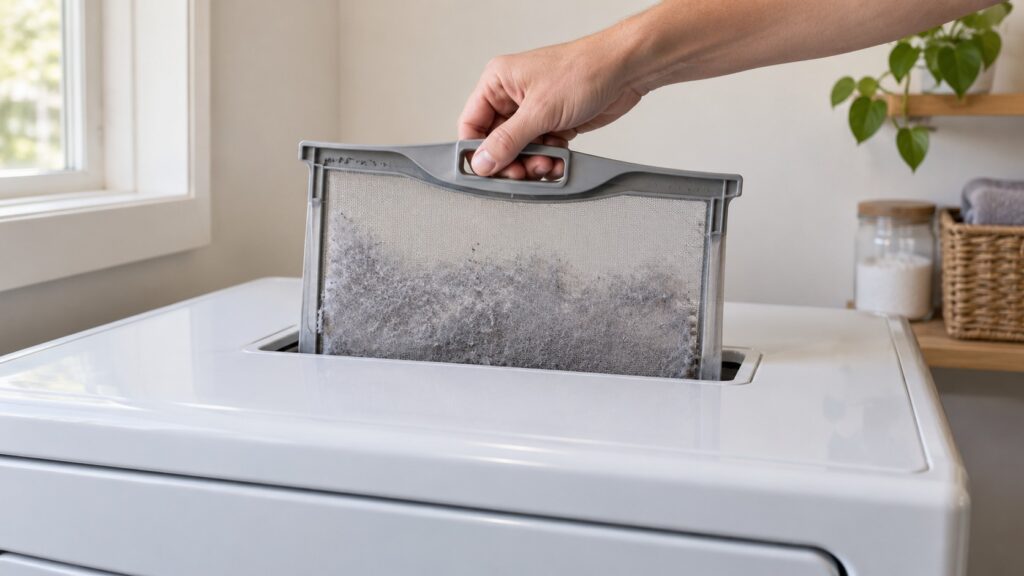
Step 3: the lint screen
Clear the lint screen before every load, not just when it looks full. Our SmartHeat maintenance guide says even a thin layer of lint on the screen reduces airflow, and that it helps to wash the screen with warm water and a soft brush now and then, because dryer sheets and fabric softener leave a nearly invisible film that a dry brush alone will not remove. Let the screen dry fully before it goes back in. This is the step to repeat most often, and it costs nothing.
Step 4: the outside vent cap
Go outside and watch the vent cap while the dryer runs. Warm, moist air should push the flap open and out; a flap that stays shut, a cap packed with lint or a nest, or barely any airflow at the opening tells you the restriction is at the end of the run. Switch the dryer off before you reach in to clear anything, and do not push a tool or brush into the duct in a way that could pull a joint apart. If the duct is out of reach or the cap is high on a wall or the roof, leave it for a technician instead of climbing.
Step 5: the duct behind the dryer
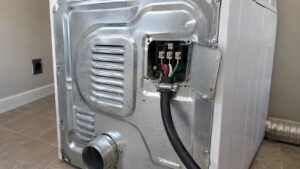
If the cap is clear and the dryer still dries slowly, the restriction is further along the duct. This is the step where care matters. For an electric dryer, switch off its breaker or unplug it, move it only as far as the connector allows and look for a crushed or kinked flexible connector or heavy lint packing. Our dryer installation guide says the duct should be as short and straight as possible, that every foot of length and every 90-degree turn reduces airflow, and that pushing a dryer flush against the wall can crush the duct connector. For a gas dryer, do not move the dryer and do not disturb the gas connection at all. If you ever smell gas, do not switch anything on or off, leave the house and call your gas utility or 911 from outside. A long duct with several turns can be cleaned properly with a flexible brush kit, which is a job we would rather you leave to a technician if you are unsure.
Step 6: what your model tells you
The model prefix changes what the dryer reports. Our guide says LG-built Kenmore dryers, which carry the 796 prefix, detect an airflow restriction and show a d90 or d95 code, explained in our d90 and d95 codes guide. Whirlpool-built 110-prefix dryers have no dedicated vent restriction code, so you rely on the symptoms: a dryer that runs hotter to the touch than usual, a burning-dust smell, dry times that have crept up gradually, or lint escaping around the door seal. Read your number with our model number decoder before you decide which applies.
When do you stop and call a technician?
Stop when the vent is clear and dry times are still long, when a d90 or d95 code keeps returning, when the dryer is very hot or smells of burning, or when the problem looks like a heating part. A duct that is too long or too restrictive for the dryer’s rated airflow is worth a professional assessment. Do not open the dryer’s cabinet. If you see smoke or flames or smell burning, switch off the breaker from a dry floor and leave the dryer shut; do not open the door to look. Our Kenmore dryer repair page explains a visit, and you can schedule a visit online. We are an independent repair company, not the manufacturer.