A Kenmore dryer moisture sensor is a pair of small metal strips inside the drum, and on our pages a film of dryer sheet or fabric softener residue on them is the usual reason a sensor-dry cycle stops too soon or runs unevenly. To clean them, unplug the dryer, let it cool, wipe the strips with a cloth and rubbing alcohol, let them dry and run a test load. If F28 or F29 returns, or an LG-built dryer shows HS, the sensor or the wiring needs a technician.
What is the moisture sensor in a Kenmore dryer?
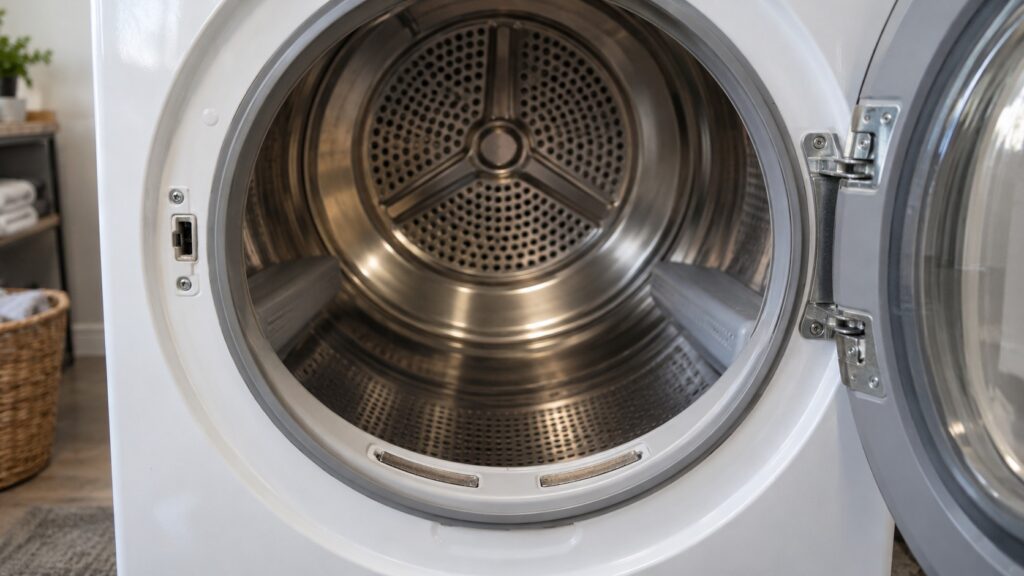
Many Kenmore dryers can end a cycle when the load is dry instead of when a timer runs out. On our pages the device that does it is described as the metal sensor strips inside the drum, usually small metal bars. The F28 and F29 code pages say these strips can be found on many models near the lint filter housing, and that fabric softener or mineral buildup on them can stop them reading correctly. When they are coated, the sensor can read dry too soon and end the cycle early, or give uneven results.
Not every Kenmore dryer works this way, and the builder matters. Our pages use the word moisture sensor for Whirlpool-built dryers and humidity sensor for LG-built ones. A dryer’s model prefix tells you which you have; our Kenmore model number decoder explains how to read it. For an LG-built dryer our pages describe the sensor and the HS code, but they do not describe cleaning it, so use your owner’s manual for yours.
How do you know the moisture sensor needs cleaning?
The signs on our dryer-shuts-off-too-soon page are automatic or sensor-dry cycles that end noticeably earlier than they used to, with damp clothes at the end. A useful test is a timed cycle: if the early stop goes away when you set a timed dry, that points toward the sensor and not a full failure. The F28 and F29 pages list sensor-dry cycles that run inconsistently or overdry or underdry loads, and a cycle that stops mid-dry, as other signs.
Before you clean anything, rule out the vent. Our page says that an overheating dryer can trip its thermal fuse partway through a cycle, often because of vent restriction, and that this will also end a cycle early. Clean the lint screen and check airflow at the outside hood first. A dryer that takes several cycles to dry is a vent problem more often than a sensor one, and our guide to a Kenmore dryer that takes multiple cycles to dry explains why.
How do you clean the moisture sensor strips?
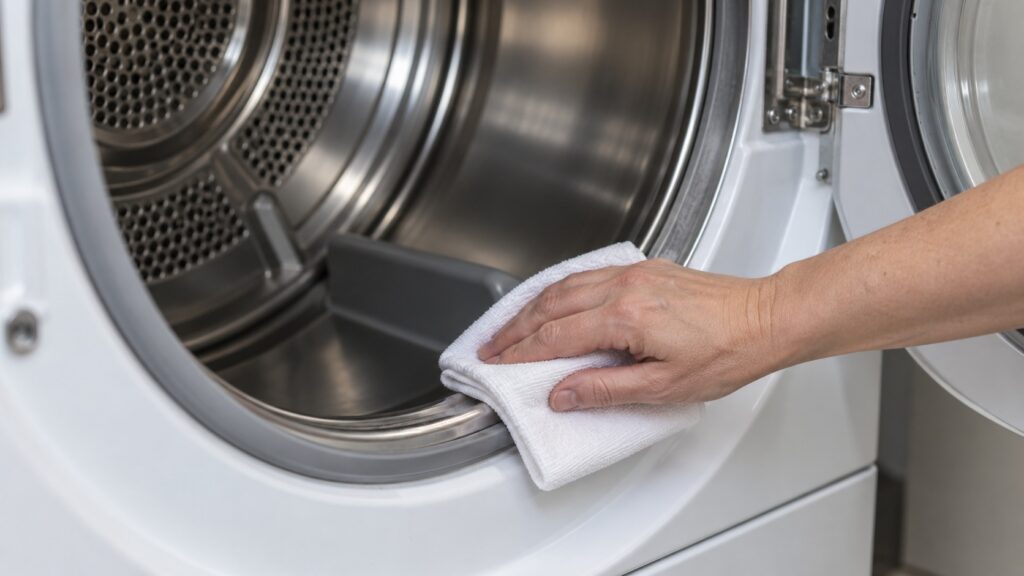
Our shuts-off-too-soon page gives the method: locate the moisture sensor strips inside the drum, usually small metal bars, and wipe them down with rubbing alcohol on a cloth. We add the safety steps. Unplug the dryer first and let the drum cool, because a drum that has just run is hot. Work with the door open and keep the alcohol away from heat, a flame or a pilot light, since it is flammable, use only a small amount on the cloth, and let the strips dry fully, until no alcohol smell is left, before you close the door and plug the dryer back in. Do not spray the alcohol into the dryer, and do not use abrasive pads or a scraper on the strips. Do not remove any panel to reach them; if the strips are not reachable from the drum, stop and book a visit.
After cleaning, run a load on the automatic setting and see whether the cycle ends at about the right time and the clothes are dry. The exact location and the care your model needs are in the owner’s manual, and the steps differ by model.
What does F28 or F29 mean on a Kenmore dryer?
On a Whirlpool-built dryer, our F28 page says F28 means the moisture sensor resistance is reading very high or open, and our F29 page says F29 means it is reading very low or shorted. The pages list the moisture sensor, the main control board and the wiring connections as components, and both say cleaning the sensor strips inside the drum is a step to try. F29 lists mineral or fabric softener buildup as a possible cause of a shorted sensor. If the code returns after cleaning and resetting, our pages say a technician needs to test the sensor and the control board. See our F28 page and F29 page.
Do not keep resetting the dryer in the hope that the code clears.
What if an LG-built Kenmore dryer shows HS?
Our HS page says HS means a humidity sensor error on an LG-built Kenmore dryer, and that LG dryers use humidity sensing on automatic or sensor-dry cycles rather than only a thermistor. It lists the humidity sensor and the sensor wiring as components and says a technician has to test and replace the sensor. It suggests a timed dry cycle as a temporary workaround, and says that if the same HS keeps returning, a technician should confirm the cause before any part is replaced. We do not describe a cleaning method for it, so do not guess.
How do you keep the sensor clean?
The cause of the film is fabric softener and dryer sheets, so cutting down on them helps. Our shuts-off-too-soon page says to avoid using dryer sheets directly against the sensor strips going forward, if the model’s manual advises this. Our SmartHeat maintenance guide says dryer sheets and fabric softener leave a nearly invisible film on the lint screen as well, and that washing the screen in warm water with a soft brush now and then removes what a dry brush alone will not. Clear the lint screen before every load. The routine is in our SmartHeat dryer maintenance guide.
When should you call a technician?
Call if the cycles still end early after you clean the strips and the vent, if F28, F29 or HS returns, if the strips are damaged or you cannot reach them from the drum, or if the dryer smells hot. Our page says a technician should then test the thermal fuse, the thermostat and the sensor for your platform. Our dryer repair page explains how a visit works.