When a load needs a Kenmore dryer multiple cycles to actually get dry, the cause is almost always a restricted exhaust vent rather than a failing heating element, even though the two can feel similar from the laundry room. This is one of the most common and most overlooked dryer complaints, because the dryer still runs, still gets warm, and still tumbles normally — it just cannot move enough air through a wet load to finish the job in one cycle.
Why Restricted Airflow Causes This
A dryer works by pulling air across a heating source and pushing the resulting warm, dry air through the tumbling load and out through the exhaust duct, carrying moisture with it. If that duct is partially blocked by lint buildup, crushed sections, or too many tight turns on its way to the exterior wall or roof cap, less air moves through the drum per minute, and the load simply cannot shed moisture as fast, regardless of how hot the element or burner is running.
The LG-Built Equivalent: d90 and d95
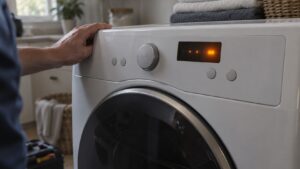
On LG-built Kenmore dryers, which carry the 796 model prefix, this exact airflow restriction is detected automatically and reported directly on the display as a d90 or d95 code, meaning the vent system is restricted to roughly 90% or 95% of full capacity. Multiple-cycle drying and a d90/d95 code are, in effect, the same underlying problem — one is the digital warning, the other is the symptom you experience without a display telling you why. See our Kenmore dryer d90 d95 codes guide for the full breakdown of that code.
Non-Digital Warning Signs
Whirlpool-built Kenmore dryers (110 prefix) do not have a dedicated vent-restriction code, so the symptom-based warning signs matter more on those units: a dryer that runs noticeably hotter to the touch than usual, a burning-dust smell, unusually long dry times that have crept up gradually over months, or lint visibly escaping around the door seal instead of collecting in the lint trap.
Clearing the Restriction
Disconnect the dryer, check the flexible duct connector behind the unit for crushed sections or heavy lint packing, and then work along the exhaust run to the exterior vent cap, clearing lint the entire way. Long duct runs with several turns benefit from a proper flexible brush kit rather than vacuuming from one end only. It is also worth checking that the exterior cap flap opens freely and is not clogged or nested in.
Ruling Out the Load Itself
Before assuming the vent is the cause, it is worth ruling out simpler explanations too — overloading the drum beyond its rated capacity, mixing very heavy items like towels with lighter fabrics in the same load, or a lint filter that was not cleared before starting can all mimic a vent-restriction symptom on their own. Once those are ruled out and dry times are still consistently long, the exhaust duct is almost always the real culprit.
When to Call a Specialist
If a full duct cleaning does not bring dry times back to normal, or a d90/d95 code keeps reappearing, the problem may be a duct configuration that is simply too long or too restrictive for the dryer’s rated airflow, which is worth a professional assessment. Our experienced independent technicians trace the entire vent path, confirm airflow with proper test equipment, and use genuine OEM parts for any component that needs replacing, backed by a 30-day labor warranty on every repair. See our dryer error codes page for the full code list.
Schedule a vent inspection to get dry times back to a single cycle, backed by our 30-day labor warranty. For manufacturer venting specifications, visit kenmore.com. See our full dryer repair service.